
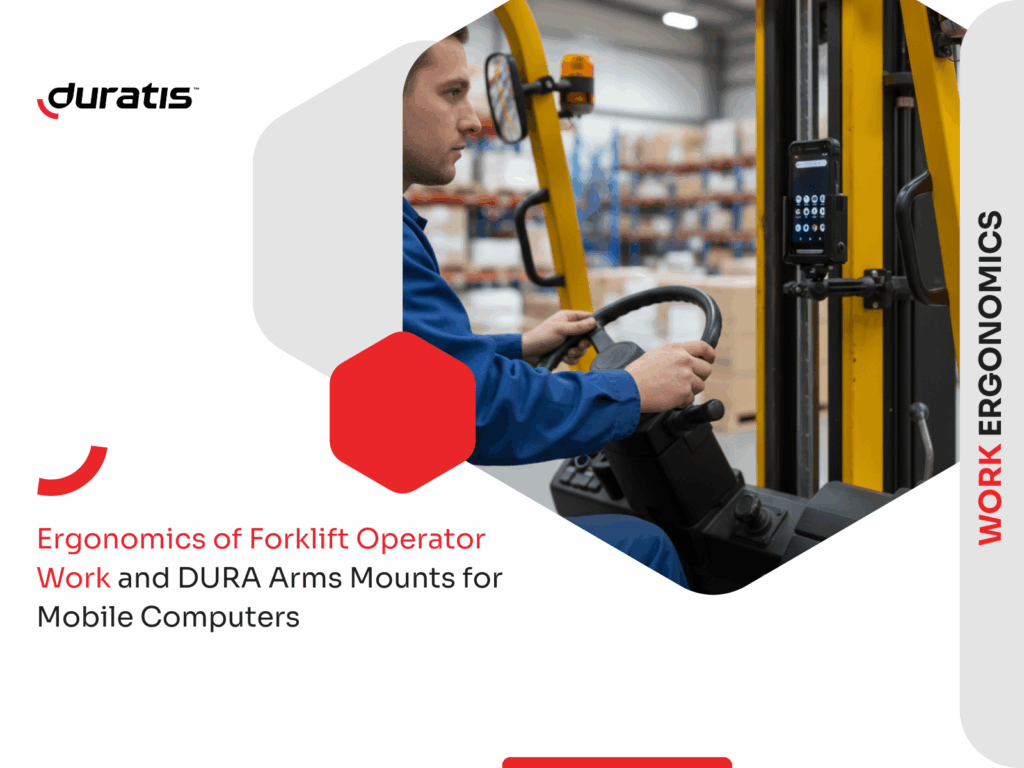
Ergonomics in the work of a forklift operator is crucial for safety, comfort, and task efficiency. The more thoughtfully a workstation is designed, the fewer unnecessary movements the operator performs, which directly impacts their productivity and focus. One element that supports ergonomics is the proper placement of mobile devices, including mounts for computers and scanners on forklifts.
Why ergonomics is key in forklift operator work
Operators spend long hours seated, performing repetitive tasks, and are exposed to vibrations and physical strain. An ergonomic workstation reduces body strain, lowers the risk of injuries, and helps maintain high concentration throughout the shift.
Read also our article on improving ergonomics in the warehouse.
Proper working position and operator seat adjustment
A properly adjusted seat allows the operator to maintain a natural spine position and comfortably access the steering wheel, levers, and control panels. Seat suspension minimizes vibration transmission to the operator’s body, which is particularly important in warehouses with uneven floors.
Tool and equipment placement that reduces fatigue and errors
Tools such as scanners, mobile computers, and documents should be placed close to the operator, within natural reach. This reduces the need for torso twisting, improves workflow efficiency, and decreases shoulder and arm fatigue.
Lighting, visibility, and minimizing strain during maneuvering
Adequate warehouse lighting, combined with additional solutions such as panoramic mirrors, backup cameras, or swivel seats, improves visibility and reduces the need to rotate the neck and back. This directly reduces the risk of injury.
Ergonomic mounts for scanners and mobile computers as operator support
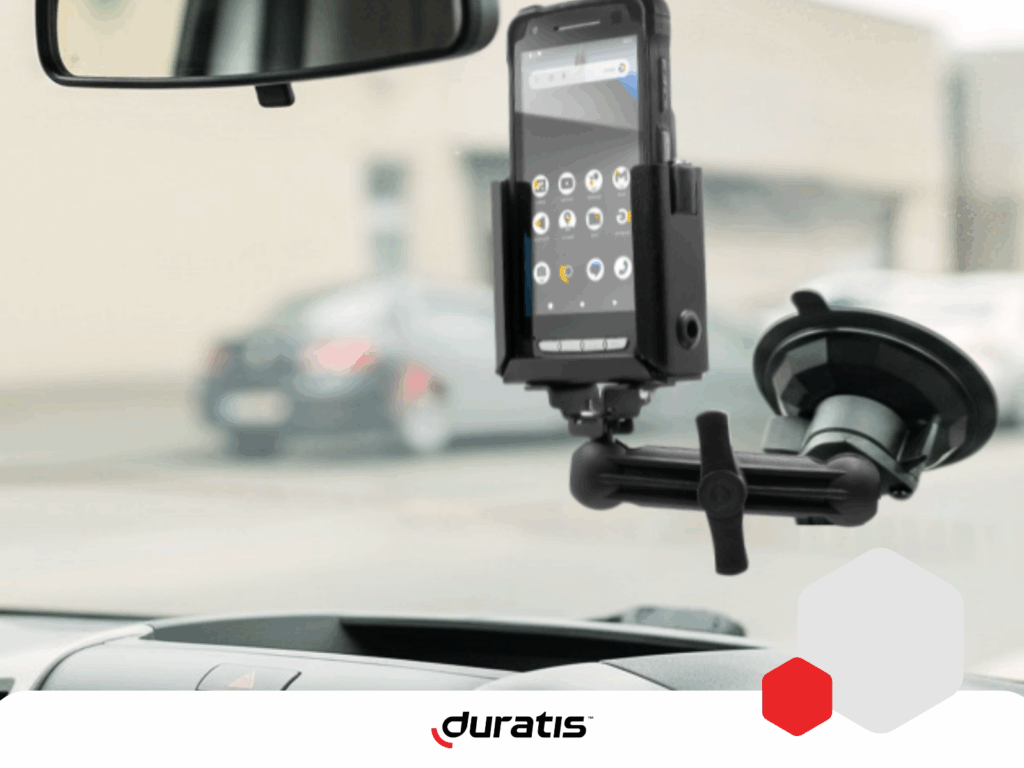
DURA Arms mounts by Duratis, installed on forklifts, increase operator comfort and safety. They provide quick access to the device and stable attachment, protecting the equipment during movement. Key benefits of a proper mount include:
- Reduced number of unnecessary movements,
- Faster order picking,
- Greater device stability and lower risk of damage,
- Improved safety – the operator does not need to hold the device while driving.
For mobile computers with a pistol grip, Duratis mounts offer additional options:
- Rear-facing position – allows quick placing and re-grabbing of the device,
- Front-facing position – ideal when the operator needs to use the touchscreen, e.g., in a WMS application.
This solution significantly streamlines work and reduces physical strain from repetitive movements.
Modular design of DURA Arms mounts and various mounting options
Duratis forklift mounts are designed modularly, allowing customization for a specific device model, mounting location, and operator workflow.
Key advantages of modularity:
- Choice of different arm lengths and mounting methods,
- Interchangeable heads compatible with various devices,
- Mounting options on a post, forklift frame, window, wall, or tabletop,
- Ability to expand or replace individual components without purchasing a full set,
- Precise adjustment to workstation ergonomics and operator habits.
Thanks to modularity, the mount can be configured so the mobile device is exactly where the operator needs it most.
Preventive techniques to reduce operator injury risk
Operators can further protect their health by applying simple preventive measures that, over time, reduce the risk of back, neck, or wrist pain:
- Short breaks every 1-2 hours to relax muscles,
- Stretching exercises for the cervical, lumbar spine, and shoulder girdle,
Avoiding sudden torso twists – better to rotate the entire seat or body, - Keeping both hands in a proper position on the steering wheel while driving,
- Regularly checking seat adjustments to match changing positions during the day.
These techniques help maintain fitness, reduce fatigue, and improve work quality and safety.
Check out tips for improving warehouse ergonomics here.
Summary
Ergonomics in forklift operator work includes not only seat adjustment and proper lighting but also thoughtful placement of work tools. Mobile computer and scanner mounts have become a crucial element supporting ergonomics, as they speed up tasks, improve workplace safety, and protect devices from damage. Additional preventive techniques, such as breaks and stretching exercises, help operators maintain good physical condition and reduce the risk of injuries.
Yes. Moreover, mounts can be installed not only on forklifts but also on walls, tabletops, posts, or windows, offering very wide configuration possibilities.
Our mounts fit most models from Zebra and Honeywell, including popular terminal and scanner series. Mounts for devices from other manufacturers are made to order.
Yes. Since the device is always within reach, operators can perform tasks faster and reduce unnecessary movements.
DURA Arms mounts are resistant to shocks and heavy use, and their design reduces the risk of accidental device drops.
Front-facing – when the operator frequently uses the touchscreen.
Rear-facing – when the priority is fast scanning using the pistol grip.

