
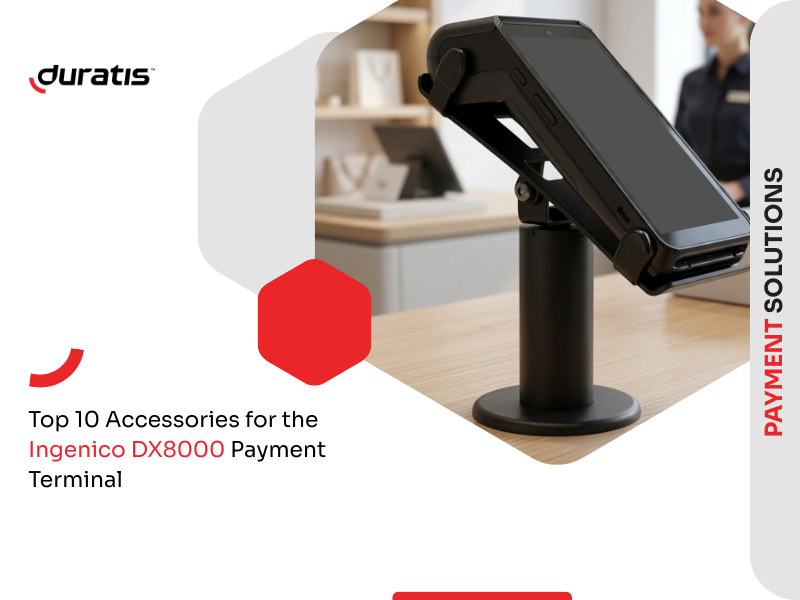
The Ingenico DX8000 is a versatile payment terminal designed for fast and reliable transactions in retail, hospitality, transportation, and mobile sales. However, the right accessories can significantly improve how the device is used in everyday operations. From convenient carrying solutions to mounting systems and protective elements, accessories help businesses enhance mobility, durability, and accessibility. Below are ten practical accessories that can improve the functionality and usability of the Ingenico DX8000.
Carrying Cases with Shoulder Strap
Carrying cases with a shoulder strap are designed for comfortable and secure device transportation. They protect the terminal from accidental bumps and scratches while allowing staff to carry the device hands-free. These cases are available in two material options: genuine leather for a premium look and feel, or hybrid diamond material, which features a rough texture that increases durability and grip. This makes them a practical solution for mobile sales environments such as restaurants, outdoor events, or delivery services.

Carrying Cases with 360° Clip
Carrying cases equipped with a 360° rotating clip provide another convenient way to carry the Ingenico DX8000. The clip allows the case to be attached securely to a belt or pocket while adapting naturally to body movement. This ensures comfort during long shifts and keeps the terminal within easy reach at all times. It is particularly useful for retail staff and warehouse workers who frequently move between locations.

Dura Pocket Holster
The Dura Pocket Holster is a sturdy carrying solution designed for enhanced protection and functionality. A strong hook-and-loop strap secures the holster and protects the device during movement. The strap can also be easily hidden when not needed or used to hang the holster in a convenient place. Additionally, the holster features an extra pocket that can hold small items such as a notebook or smartphone, making it especially practical for field workers.

Dura Pouch Holster
The Dura Pouch Holster is designed for dynamic work environments where quick access to the terminal is essential. Its lightweight and ergonomic construction ensures comfort even during long working hours. The open design allows users to retrieve and return the device quickly, making it ideal for busy retail floors, hospitality environments, or mobile sales operations.

Terminal Stand
A pole mount is a simple but highly effective accessory for improving the checkout experience. By holding the Ingenico DX8000 in a stable position, the stand allows customers to interact with the terminal comfortably during payment. Terminal stand also helps maintain a clean and organized checkout counter while reducing the risk of accidental drops.

Dura Arms Mounting System
The Dura Arms mounting system allows the Ingenico DX8000 to be securely attached to a variety of surfaces. It can be mounted on glass, plexiglass, pipes, walls, or workstations, offering exceptional flexibility. This solution is particularly useful in self-service kiosks, public transport vehicles, taxis, and mobile sales points where terminals must remain securely positioned but easily accessible.

Drive-Thru Paddles
Drive-thru paddles are designed specifically for environments where payments are completed through a vehicle window. The holder allows staff to safely extend the Ingenico DX8000 toward the customer, enabling convenient contactless or card payments. This accessory improves efficiency and ergonomics in drive-thru restaurants and other roadside service points.

Silicone Protective Case
A silicone case protects the DX8000 terminal housing from drops, scratches, and greasy fingerprints. The flexible material absorbs shocks and improves grip, reducing the risk of accidental slips. Importantly, the case is fully compatible with the charging base, meaning the device can be charged without removing the protective cover.

Screen Protector
The touchscreen is the most delicate part of any payment terminal, which is why protecting it is essential. A high-quality screen film protects the display from scratches, impacts, and everyday wear. Compared to tempered glass, screen films can provide up to ten times longer durability, making them a practical and long-lasting solution.
If you want to learn more about the differences between these two options, you may also like our article comparing screen films and tempered glass for payment terminals.

Braille Overlays
Braille overlays improve payment accessibility for visually impaired and blind customers. By adding tactile markings to the keypad, they allow users to complete transactions independently and confidently. This accessory helps businesses create a more inclusive payment experience while complying with accessibility requirements.

Choosing the Right Accessories
Accessories can transform how a payment terminal performs in everyday business operations. Whether the goal is improved mobility, secure mounting, enhanced protection, or better accessibility, the right solutions help businesses get the most out of their Ingenico DX8000 terminals. Selecting the right combination of accessories ensures smoother transactions, greater durability, and a better overall user experience for both staff and customers.

