
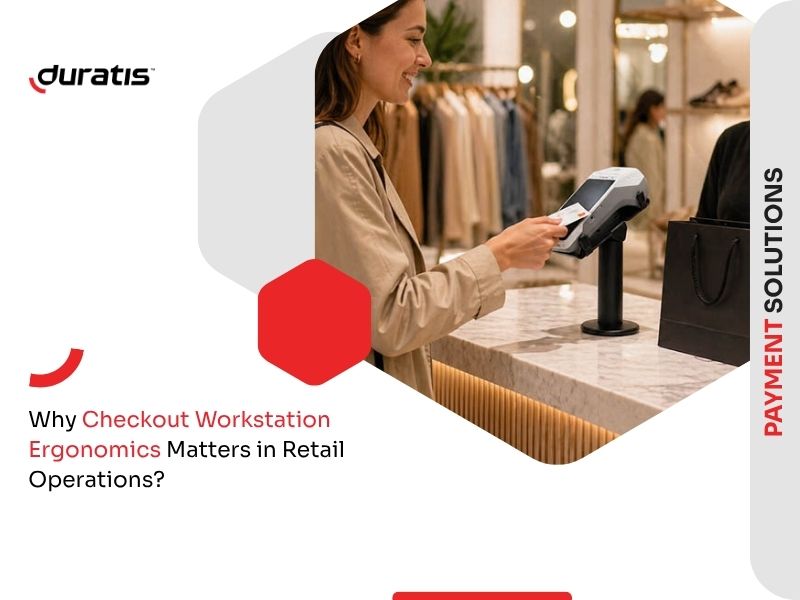
Why do some checkout areas run smoothly while others constantly create delays, stress, and operational friction? And what actually has a greater impact on efficiency – the people working there or the way the workstation is designed?
In modern retail, the checkout station is one of the most critical points in the entire store. It is a high-pressure environment where speed, accuracy, and ergonomics directly determine daily performance. Even small design flaws, repeated across hundreds of transactions, can significantly slow down operations and increase fatigue over time.
Why Checkout Ergonomics Matters
Checkout ergonomics is not only about comfort, but about how efficiently work can be performed under constant time pressure. The workstation combines scanning, communication, and payment in a very limited physical space.
When the layout is inefficient, employees are forced into repetitive movements – reaching for devices, twisting toward the customer, or adjusting posture multiple times per minute. Individually these actions seem minor, but over the course of a shift they create measurable delays and physical strain.
A well-designed checkout area supports:
- faster and more consistent transaction flow,
- reduced physical and mental fatigue,
- fewer operational errors,
- smoother customer interaction and queue handling.
Ergonomics at checkout is therefore not a “nice-to-have”, but a direct factor influencing store efficiency.
What a Proper Checkout Workstation Should Look Like
A functional checkout station is a combination of furniture design, equipment placement, and workflow logic. It must support natural body posture while minimizing unnecessary movement.
Counter Design and Work Surface
The checkout counter is the foundation of the workstation. Its dimensions directly influence posture, reach distance, and working comfort.
An ergonomic counter should:
- support a neutral posture with elbows close to the body,
- avoid forcing forward leaning or twisting,
- keep frequently used tools within easy reach,
- provide enough depth for equipment without overextension,
- separate customer and operator zones clearly.
If the counter is too deep or poorly organized, the cashier is forced to constantly lean forward. If it is too shallow or cluttered, the working space becomes chaotic and inefficient. In both cases, fatigue increases and speed decreases.
A well-designed surface should also remain visually clean. Excess cables, poorly positioned devices, or overlapping equipment reduce both efficiency and focus during peak hours.
Chair Design and Working Posture
Where seating is used, adjustability becomes essential for long-term comfort and ergonomics.
An ergonomic cashier chair should include:
- height adjustment aligned with counter level,
- stable lumbar support,
- proper foot positioning or footrest support,
- smooth rotation without instability.
However, modern checkout areas increasingly rely on a hybrid working model. Cashiers often alternate between sitting and standing depending on traffic intensity.
Standing positions are more effective during peak hours, as they support mobility and faster reactions. Sitting positions are better suited for lower traffic periods or longer administrative tasks. A properly designed workstation should support both modes without requiring changes in setup.
Common Ergonomic Challenges in Cashier Work
Cashier work is repetitive, fast-paced, and often performed under pressure from customer queues. One of the biggest challenges is static posture combined with continuous micro-movements such as scanning items and handling payments.
Another common issue is poor workstation layout. When devices are not placed logically, employees must constantly adjust their position – turning toward the POS screen, reaching for the scanner, or leaning toward the payment area.
Over time, this leads to:
- increased muscle fatigue,
- reduced concentration,
- slower transaction handling,
- higher risk of small operational errors.
Peak hours intensify these problems, as employees must maintain speed while handling continuous customer flow.
Optimizing Layout and Workflow Efficiency
The physical arrangement of the checkout station determines how smoothly the entire process runs. Ideally, the workstation should support a natural sequence of actions: product scanning, communication, and payment.
A well-optimized layout reduces unnecessary movement and ensures that every action flows into the next without interruption.
Key principles include:
- keeping essential tools in a primary reach zone,
- minimizing cross-body movements,
- reducing visual and physical clutter,
- maintaining a clear separation between cashier and customer space,
- ensuring intuitive placement of payment and scanning devices.
A poorly designed layout forces constant micro-adjustments, which may not seem significant individually but have a major impact on speed and fatigue when repeated throughout the day.
Payment Terminal Usability and Mounting Systems
Payment terminals are one of the most frequently used devices at checkout, yet their positioning is often underestimated from an ergonomic perspective.
In many setups, the terminal must be lifted or passed between cashier and customer, which interrupts workflow and increases the risk of accidental drops or damage.
A payment terminal mount (also referred to as a payment stand or pole mount) solves this issue by keeping the device fixed while still fully adjustable.
Key advantages include:
- smoother interaction between cashier and customer,
- no need to physically pass the device during payment,
- ability to rotate and tilt the terminal for optimal angle,
- improved cable management and cleaner workstation appearance,
- reduced risk of damage caused by drops or improper handling,
- more consistent and professional payment experience.
Beyond ergonomics, this solution also improves aesthetics. A well-organized checkout area with hidden or structured cabling appears more modern and reduces visual clutter, which can also positively influence customer perception.
Self-Checkout Ergonomics and Durable Mounting Solutions
Self-checkout environments introduce different ergonomic requirements. Here, the equipment is used not by trained staff, but by a wide range of customers with varying levels of familiarity.
This means that durability, stability, and intuitive design are critical.
Solutions such as Dura Arms for payment terminals provide a combination of secure mounting and flexible adjustment, ensuring that the device remains stable even under constant use.
Key requirements in self-checkout environments:
- high resistance to frequent physical interaction,
- stable and secure mounting of devices,
- intuitive positioning for users,
- flexibility in angle and height adjustment,
- reduced need for maintenance or corrections.
A poorly designed self-checkout station can quickly become a bottleneck, especially during peak traffic, where speed and simplicity are essential.
Reducing Stress Through Better Ergonomics
Ergonomic design has a direct impact not only on physical comfort, but also on operational stress levels. When the workstation is inefficient, employees must constantly compensate for design flaws, which increases both mental and physical fatigue.
Improving ergonomics helps to:
- reduce repetitive strain and fatigue,
- improve concentration during peak hours,
- stabilize performance under pressure,
- reduce frustration caused by inefficient tools or layout,
- create a more predictable workflow.
Even small improvements – such as better device positioning or reduced reach distance – can noticeably improve daily working conditions.
Learn how to optimize checkout stations in small businesses through better ergonomics, terminal setup, and practical accessories that improve daily workflow.
Business Impact of Ergonomic Improvements
Investing in checkout ergonomics has a direct impact on operational performance. It is not just a comfort-related decision, but a business optimization factor.
Better ergonomics leads to:
- faster transaction times and shorter queues,
- reduced equipment damage and maintenance costs,
- fewer operational disruptions,
- improved employee consistency and comfort,
- better overall customer experience.
In modern retail environments, where efficiency and customer satisfaction are critical, checkout ergonomics becomes a key part of operational strategy rather than a secondary consideration.

