
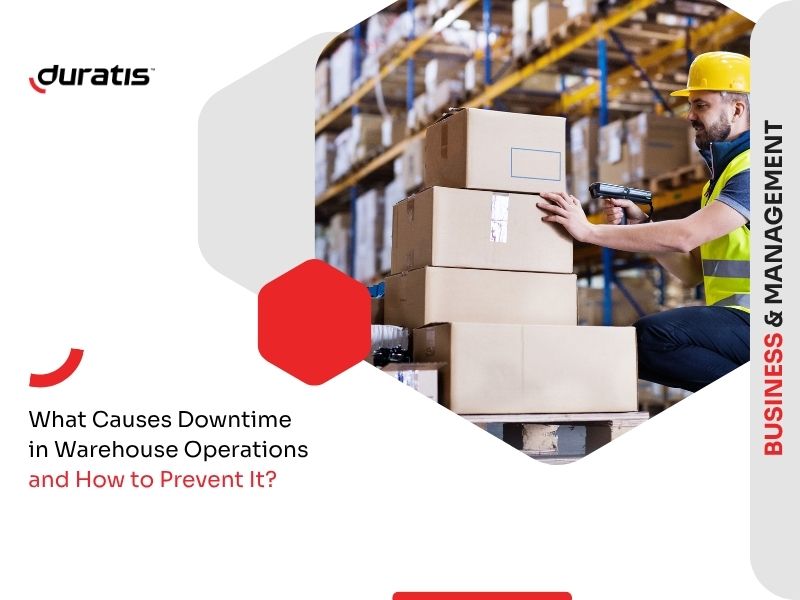
W operacjach magazynowych nawet krótkie zakłócenie może szybko wpłynąć na cały przepływ pracy. Opóźniona kompletacja, uszkodzone urządzenia, błędy skanowania lub słaba komunikacja między zespołami mogą prowadzić do niższej produktywności, wyższych kosztów operacyjnych i opóźnień w wysyłce.
Jakie są najczęstsze przyczyny przestojów w środowiskach magazynowych? I w jaki sposób firmy mogą poprawić ciągłość pracy bez całkowitej przebudowy swoich procesów?
Dlaczego przestoje w operacjach magazynowych są tak kosztowne?
Operacje magazynowe zależą od szybkości, dokładności i ciągłego dostępu do danych. Gdy jedna część przepływu pracy zostanie zatrzymana, skutki mogą rozprzestrzenić się na cały obiekt.
Nawet niewielkie zakłócenie może spowolnić procesy kompletacji, pakowania, zarządzania zapasami, wysyłki lub weryfikacji produktów. W szybko zmieniających się środowiskach magazynowych, w których pracownicy polegają na komputerach mobilnych i skanerach kodów kreskowych przez cały dzień, każda przerwa wpływa na produktywność.
Przestoje generują również ukryte koszty, które nie zawsze są od razu widoczne. Pracownicy spędzają czas w oczekiwaniu na urządzenia zastępcze, przełożeni muszą reorganizować przepływy pracy, a opóźnione operacje zwiększają presję na cały zespół. W niektórych przypadkach przerwy operacyjne mogą nawet prowadzić do skarg klientów i niedotrzymania terminów dostaw.
Dlatego też wielu operatorów magazynów przenosi swoją uwagę z reaktywnego rozwiązywania problemów na środki zapobiegawcze mające na celu zminimalizowanie ryzyka operacyjnego przed wystąpieniem przestojów.
Problemy z komunikacją i przepływem danych
Wydajne operacje magazynowe opierają się w dużej mierze na komunikacji w czasie rzeczywistym i szybkim dostępie do danych. Pracownicy, operatorzy i przełożeni muszą stale wymieniać się informacjami, aby procesy przebiegały sprawnie.
Gdy systemy komunikacyjne zawodzą lub synchronizacja danych staje się niestabilna, przepływ pracy spowalnia niemal natychmiast. Pracownicy mogą utracić dostęp do danych inwentaryzacyjnych, systemy skanowania mogą przestać aktualizować się poprawnie lub zadania mogą wymagać ręcznego wykonania.
Takie sytuacje często prowadzą do:
- opóźnienia w wysyłce,
- niedokładności inwentaryzacji,
- błędy kompletacji zamówień,
- zduplikowane zadania,
- zmniejszona wydajność pracowników.
Słaby zasięg sieci bezprzewodowej jest jedną z najczęstszych przyczyn przerw w pracy. Słaby sygnał Wi-Fi w niektórych strefach magazynu może uniemożliwić komputerom mobilnym synchronizację z systemami WMS lub ERP, zmuszając pracowników do późniejszego powtarzania czynności.
Firmy mogą zmniejszyć to ryzyko poprzez
- poprawa infrastruktury sieci bezprzewodowej,
- regularne monitorowanie wydajności łączności,
- optymalizacja układu magazynu w celu lepszego pokrycia sygnałem,
- przy użyciu niezawodnych urządzeń mobilnych zaprojektowanych dla środowisk przemysłowych,
- standaryzacja procedur komunikacji między zespołami.
Płynna komunikacja i nieprzerwany dostęp do danych są niezbędne do utrzymania ciągłości operacyjnej w środowiskach magazynowych.
Awarie urządzeń mobilnych i przestoje operacyjne
Komputery mobilne są obecnie jednym z najważniejszych narzędzi w operacjach magazynowych. Pracownicy stale używają ich do skanowania kodów kreskowych, zarządzania zapasami, kompletacji, pakowania, weryfikacji przesyłek i komunikacji.
Gdy urządzenie przestaje działać, operator często nie może efektywnie kontynuować swoich zadań. W wielu magazynach nawet jeden uszkodzony komputer mobilny może zakłócić pracę całego zespołu.
Najczęstsze przyczyny przestojów związanych z urządzeniami obejmują:
- pęknięte ekrany,
- uszkodzenia spowodowane upadkami,
- porysowane wyświetlacze zmniejszające widoczność,
- zużyte obudowy,
- niewygodne metody przenoszenia zwiększające ryzyko wypadków.
Ponieważ urządzenia te są intensywnie wykorzystywane każdego dnia, zapobieganie odgrywa znacznie ważniejszą rolę niż sama naprawa.
Folia ekranowa jako rozwiązanie zapobiegawcze
Uszkodzenie wyświetlacza jest jednym z najczęstszych powodów serwisowania komputerów mobilnych w środowiskach magazynowych. Magazyny, strefy załadunku i stacje pakowania narażają urządzenia na uderzenia, kurz, tarcie i częste przenoszenie.
Ochraniacze ekranu pomagają zmniejszyć ryzyko uszkodzenia ekranu zanim konieczna będzie naprawa. W przeciwieństwie do szkła hartowanego, folie ochronne nie pękają, nie odpryskują na krawędziach ani nie tworzą ostrych fragmentów po uderzeniach. Stanowią również bardziej elastyczne rozwiązanie dla urządzeń intensywnie wykorzystywanych w środowiskach przemysłowych.
Oprócz zmniejszenia zarysowań i zużycia powierzchni, folie ochronne pomagają utrzymać czytelność ekranu i szybkość reakcji ekranu dotykowego w czasie. Jest to szczególnie ważne dla operatorów, którzy pracują szybko i polegają na dokładnym skanowaniu i wprowadzaniu danych przez cały dzień.
Profilaktyczna ochrona ekranu może znacznie zmniejszyć:
- częstotliwość napraw,
- koszty wymiany urządzeń,
- przerwy w działaniu,
- przestojów związanych z serwisowaniem uszkodzonych ekranów.
Gumowe etui ochronne chroniące przed upadkiem
Upadki i uderzenia są nieuniknione w operacjach magazynowych. Urządzenia są stale przenoszone między regałami, wózkami widłowymi, stacjami roboczymi i obszarami załadunku.
Gumowe etui ochronne do komputerów przenośnych pomagają absorbować wstrząsy podczas przypadkowych upadków i zmniejszają ryzyko poważnego uszkodzenia sprzętu. Chroniąc narożniki i obudowy urządzeń, pomagają wydłużyć ogólną żywotność komputerów mobilnych i zminimalizować nieoczekiwane awarie.
Ten rodzaj ochrony jest szczególnie cenny w środowiskach magazynowych o wysokiej intensywności, gdzie urządzenia są narażone na ciągły ruch i fizyczny kontakt z twardymi powierzchniami.
Rozwiązania transportowe poprawiające wydajność pracy
Sposób, w jaki pracownicy przenoszą urządzenia mobilne również wpływa na ciągłość operacyjną. Złe metody przenoszenia zwiększają ryzyko upuszczenia urządzeń, zmniejszają komfort i spowalniają codzienne zadania.
Futerały tekstylne i skórzane zapewniają zarówno ochronę, jak i lepszą ergonomię podczas codziennych czynności. W zależności od przepływu pracy, urządzenia mogą być noszone:
- na pasku,
- na pasku na ramię,
- na uchwycie na nadgarstek,
- na obrotowym zaczepie do paska.
Te rozwiązania do przenoszenia zwiększają mobilność, jednocześnie zmniejszając obciążenie fizyczne i przypadkowe uszkodzenia urządzeń. Szybki dostęp do komputerów mobilnych pomaga również pracownikom pracować wydajniej bez ciągłego szukania lub zmiany położenia urządzeń podczas wykonywania zadań.

Wyzwania kadrowe i organizacja przepływu pracy
Wielu operatorów magazynów zmaga się z brakami kadrowymi i rosnącą presją operacyjną. W okresach wzmożonego ruchu pracownicy często pracują w napiętych terminach i przy dużym obciążeniu pracą, co zwiększa prawdopodobieństwo wystąpienia błędów i opóźnień.
Źle zorganizowane przepływy pracy mogą szybko tworzyć wąskie gardła w operacjach magazynowych. Zadania mogą się nakładać, pracownicy mogą spędzać niepotrzebnie czas na przemieszczaniu się między strefami lub komunikacja między zespołami może stać się niespójna.
Te nieefektywności nie tylko zmniejszają produktywność, ale także zwiększają ryzyko przestojów operacyjnych.
Firmy mogą poprawić ciągłość pracy poprzez:
- jasne zdefiniowanie procedur operacyjnych,
- poprawa wdrażania i szkolenia pracowników,
- uproszczenie procesów magazynowych,
- ograniczenie niepotrzebnych zadań wykonywanych ręcznie,
- optymalizacja układów stacji roboczych,
- zapewniając pracownikom szybki dostęp do potrzebnych narzędzi.
Dobrze zorganizowane przepływy pracy pomagają zmniejszyć stres, poprawić dokładność i utrzymać stabilność operacyjną nawet w okresach szczytowego zapotrzebowania.
Słaba ergonomia i nieodpowiednie akcesoria
Ergonomia jest często pomijana w środowiskach magazynowych, mimo że ma bezpośredni wpływ na produktywność i wydajność pracowników.
Gdy operatorzy korzystają z niewygodnych systemów nośnych lub źle zaprojektowanych akcesoriów, codzienne zadania stają się wolniejsze i bardziej wymagające fizycznie. Z czasem nieefektywne stanowiska pracy i nieodpowiedni sprzęt mogą zwiększać zmęczenie i zmniejszać ogólną wydajność.
Zła ergonomia może prowadzić do:
- wolniejsze procesy skanowania,
- wyższe ryzyko upuszczenia urządzenia,
- zmniejszony komfort pracowników,
- powtarzające się obciążenie podczas długich zmian,
- niepotrzebne przemieszczanie się między strefami roboczymi.
Wybór akcesoriów zaprojektowanych specjalnie do operacji magazynowych może poprawić zarówno wydajność, jak i bezpieczeństwo urządzeń. Odpowiednie rozwiązania do przenoszenia, ergonomiczne uchwyty i trwałe akcesoria ochronne przyczyniają się do usprawnienia przepływu pracy i zmniejszenia ryzyka operacyjnego.
Dowiedz się więcej o poprawie ergonomii pracy w magazynie.
Błędy w procesach magazynowych
Przestoje operacyjne nie zawsze są spowodowane awariami sprzętu. W wielu przypadkach nieefektywność procesów powoduje równie wiele zakłóceń, co uszkodzony sprzęt.
Nieprawidłowe etykietowanie produktów, niejasna organizacja magazynu lub niespójne procedury skanowania mogą spowolnić operacje i zwiększyć liczbę błędów.
Gdy pracownicy muszą powtarzać zadania lub ręcznie poprawiać błędy, produktywność znacznie spada. Drobne problemy z procesami mogą szybko eskalować, zwłaszcza w magazynach obsługujących duże ilości zamówień.
Aby ograniczyć zakłócenia operacyjne, firmy powinny skupić się na:
- standardowe procedury magazynowe,
- przejrzyste systemy identyfikacji produktów,
- spójne etykietowanie kodami kreskowymi,
- regularne audyty procesów,
- szkolenia pracowników,
- zoptymalizowane procesy kompletacji i pakowania.
Wydajne procesy zmniejszają niepotrzebne opóźnienia i pomagają utrzymać płynność codziennych operacji.
Jak skrócić przestoje w operacjach magazynowych?
Ograniczenie przestojów w operacjach magazynowych wymaga czegoś więcej niż tylko reagowania na problemy po ich wystąpieniu. Najskuteczniejszą strategią jest zapobieganie.
Firmy, które inwestują w optymalizację przepływu pracy, wydajność pracowników, systemy komunikacji i ochronę urządzeń, często są w stanie zminimalizować przerwy operacyjne, zanim staną się one kosztownymi problemami.
Folie ochronne, gumowe etui i ergonomiczne rozwiązania do przenoszenia mogą wydawać się niewielkimi usprawnieniami, ale mogą znacznie zmniejszyć częstotliwość napraw, uszkodzenia urządzeń i zakłócenia przepływu pracy w wymagających środowiskach magazynowych.

